
Introduction: 🚀 Why Learn Python?
Mastering Python for Beginners is easier than you think! Whether you’re starting your programming journey or transitioning from another language, this guide will walk you step by step through everything you need to know to become confident in Python. From setting up your environment to writing your first programs and completing practical projects, you’ll learn all the essentials in an easy-to-follow format
In this guide, we will walk you through every essential step to master Python. By the end, you’ll be equipped to write clean code, automate simple tasks, and create interactive applications. Along the way, we’ll cover:
- Setting up your Python environment (installation on different OS)
- Writing your first Python program
- Mastering key Python concepts
- Practical exercises to solidify your skills
So, let’s get started on this exciting journey! 🚀
1. 🖥️ Setting Up Your Python Environment: The First Step
Before we dive into coding, we need to set up our development environment. Don’t worry, this process is straightforward, and I’ll walk you through it step-by-step.
Step 1: Installing Python
First things first—let’s get Python installed on your machine. Here’s how to do it on Windows, macOS, and Linux:
For Windows:
- Go to the official Python website and click on the latest Python version.
- Download the installer and run it.
- Important: Make sure to check the box that says “Add Python to PATH” before clicking Install Now. This ensures you can use Python in the terminal/command prompt.
For macOS:
- Download Python from the official Python website.
- Once the download is complete, run the installer and follow the instructions.
- Alternatively, you can install Python using Homebrew by running the following command in your terminal:
- brew install python
For Linux:
- Open your terminal and run the following command to install Python:
- sudo apt update
- sudo apt install python3
Step 2: Installing a Code Editor
While you can technically use any text editor to write Python, an Integrated Development Environment (IDE) or code editor is far more efficient for larger projects.
I recommend Visual Studio Code (VS Code):
- Download VS Code from the official website.
- Install the Python extension from the Extensions Marketplace.
With Python installed and a code editor ready, you’re all set to start coding!
2. 💻 Writing Your First Python Program: “Hello, World!”
Now comes the fun part: writing your very first Python program! Let’s create a Hello, World! program, the first milestone of every programmer.
Code:
# This is a comment
print(“Hello, World!”)
Explanation:
- The # symbol starts a comment. Comments are ignored by Python and are used for explaining the code.
- The print() function outputs whatever is inside the parentheses to the screen.
- When you run the program, Python will print Hello, World! in the terminal or console.
How to Run the Program:
- Open your terminal or command prompt.
- Navigate to the folder where you saved the Python file.
- Type the following command to run the program:
- python3 hello_world.py
If you’ve done everything correctly, your terminal should display:
Hello, World!
Congratulations, you’ve written and executed your first Python program! 🎉
3. 📘 The Essentials: Variables, Data Types, and Basic Syntax
Now that you’ve run your first program, it’s time to dig into Python syntax and core programming concepts.
Variables and Data Types
A variable is a container for storing data. Python allows you to store different types of data in variables, such as numbers, text, or more complex data structures like lists.
Here are the basic data types in Python:
- Integer: Whole numbers (e.g., 5, -1, 100)
- Float: Decimal numbers (e.g., 3.14, -0.001, 1.0)
- String: Text (e.g., “Hello”, “Python”)
- Boolean: True or False (e.g., True, False)
Examples:
# Variable Assignment
age = 25 # Integer
temperature = 98.6 # Float
name = “Alice” # String
is_adult = True # Boolean
Operations with Variables:
Python allows you to perform operations on variables like addition, subtraction, and multiplication.
a = 10
b = 20
result = a + b
print(result) # Output: 30
Indentation: The Python Way
Unlike many programming languages, Python does not use braces ({}) to define blocks of code. Instead, it uses indentation to group related code together. This is an essential part of Python syntax.
For example, a loop or function would look like this:
for i in range(5):
print(i)
Notice the indentation after for i in range(5):—this tells Python that the print(i) line is part of the loop.
4. 🔑 Control Flow: If Statements and Loops
Control flow is the order in which statements are executed in a program. With if statements and loops, you can control the logic of your code and repeat actions.
If Statements:
age = 20
if age >= 18:
print(“You are an adult.”)
else:
print(“You are a minor.”)
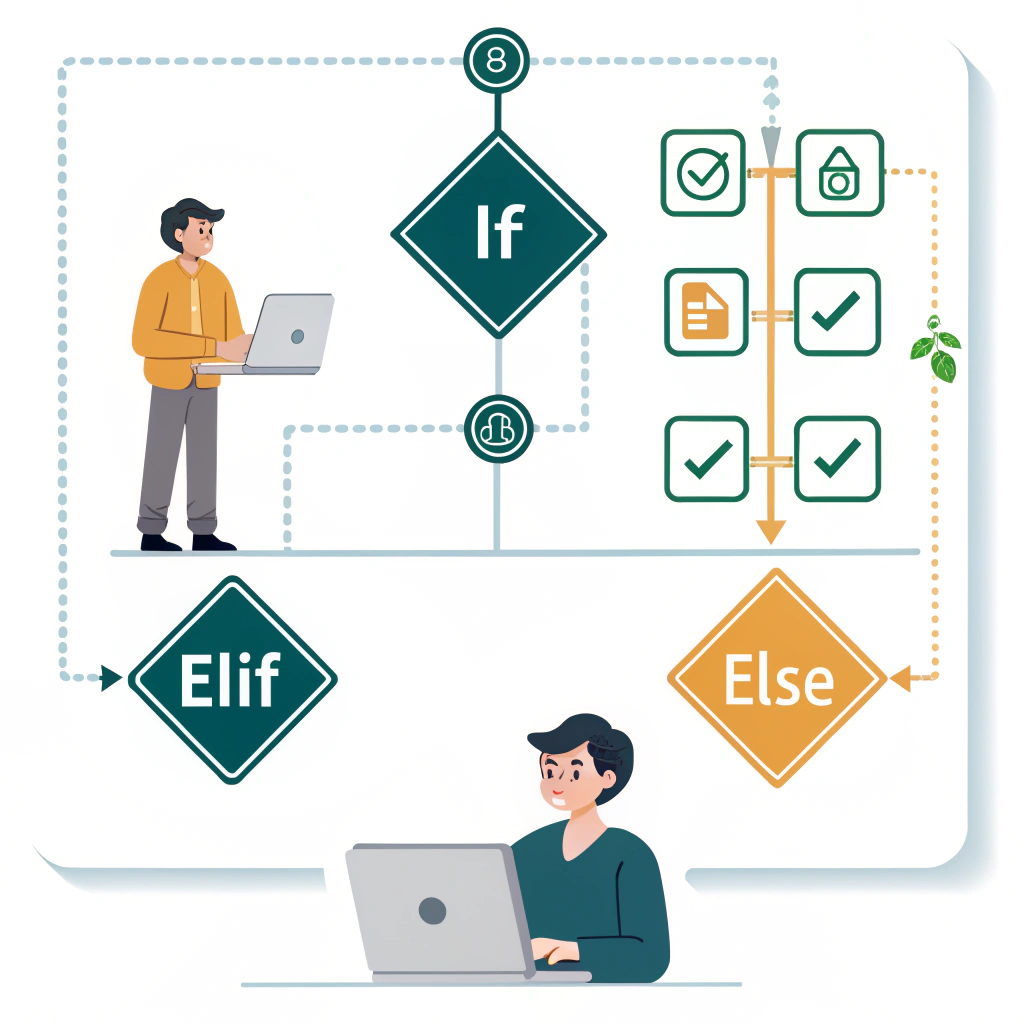
- if evaluates a condition. If it’s True, the code under it is executed.
- else executes if the condition is False.
Loops: For Repeated Tasks
There are two types of loops in Python:
- for loops: Used when you know in advance how many times you want to repeat something.
- while loops: Used when you want to repeat something as long as a condition is True.
For Loop Example:
for i in range(5):
print(i)
While Loop Example:
count = 0
while count < 5:
print(count)
count += 1
5. 🛠️ Practical Projects to Test Your Skills
Now that you have a basic understanding of Python syntax, let’s move on to some practical projects to help you test your skills.
1. Create a Simple Calculator
This project will use basic arithmetic operations like addition, subtraction, multiplication, and division.
# Simple Calculator Program
def add(x, y):
return x + y
def subtract(x, y):
return x – y
def multiply(x, y):
return x * y
def divide(x, y):
return x / y
# Input from user
num1 = float(input(“Enter first number: “))
num2 = float(input(“Enter second number: “))
print(“Choose operation: +, -, *, /”)
operation = input(“Enter operation: “)
if operation == “+”:
print(add(num1, num2))
elif operation == “-“:
print(subtract(num1, num2))
elif operation == “*”:
print(multiply(num1, num2))
elif operation == “/”:
print(divide(num1, num2))
else:
print(“Invalid operation”)
2. Number Guessing Game
Create a simple game where the computer generates a random number and the user has to guess it.
import random
number_to_guess = random.randint(1, 100)
user_guess = None
while user_guess != number_to_guess:
user_guess = int(input(“Guess a number between 1 and 100: “))
if user_guess < number_to_guess:
print(“Too low! Try again.”)
elif user_guess > number_to_guess:
print(“Too high! Try again.”)
else:
print(“Congratulations! You guessed the number.”)
Conclusion: 🎉 You’ve Mastered the Basics!
Congratulations! You’ve learned the foundational elements of Python programming, from setting up your environment to